CAMS
A Case Management System
CAMS (Case Management System) is a web-based platform designed to streamline the collaborative processes that happen in an organization. Any process that includes data intake, data evaluation, service providing, and reporting etc. requires coordination of multiple teams working with different schedules and priorities. Functional modules of CAMS include Data Intake, Workflow management, processing of incoming work, scheduling, Dashboards to manage work queues and navigation to work items, correspondence management, inbuilt search engine and ability to integrate with a wide range of tools.
Users
CAMS is a B2B product desired to be used by a wide range of industries in a multitude of domains.
This is the design strategy I followed to execute the case management project
Strategy
Execution
Planning
Design
Visual Guidelines
Research
Insights


UX Activities in my Approach
Lean UX in Agile Environment, User research, Focus group sessions, Usability testing, Design iterations, Interaction Design
Design Goals
-
Focus on customer journey and experience
-
Create customer value through product and marketing portal designs
-
Usability, Learnability, reliability and Functionality
-
Create and compare design alternatives
-
Evaluate all design outcomes by testing every idea and clearly determining the evidence criteria
-
Product fit for purpose across multitude of domains
User Research
I conducted several discussions with stakeholders and potential customers and had my team record the findings. These findings alone brought us a sense of our users’ needs, business scenarios, task flows, limitations, and motivations. All of this information helped us piece together an image of their everyday challenges and the workarounds they follow. This eventually made us understand what they actually value in mind and used that knowledge in the design proceedings.
We further explored some unknown territories in some domains by doing competitive analysis, task analysis, and journey mapping. Precisely defined user stories helped us record key value identifiers that we later used in the design execution.

Insights
Our research process allowed us to gain extensive knowledge on different domains.
The four key goals generated from the study:
-
Market the product globally establishing the brand name
-
Standardize the marketing style on the web
-
Campaign the product value to global audiences
-
Store and Manage prospect information by tracking the visits, demo requests, leads, and any other sales opportunities
Planning
I have created a road map for the project focusing on the design deliverable in iterations spread across multiple phases. The user stories and user flows have been created accordingly.

Design
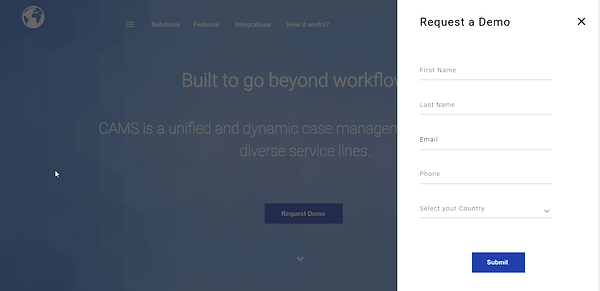
Designed the marketing website for the product's target users. The design showcased the products features, integrations and functionalities while bundling the services for a wide range of domains.


The dashboard is the user’s landing page in CAMS from where the user can drill down to other interaction and consumption pages in the application.


Visual Guidelines
The CAMS style guide is intended to provide guidelines on the usage of colors, type, content, icons, page structure, and imagery on CAMS or any of its applications. This guide provides rules of thumb and context notes for all the aforementioned design elements to help interface designers achieve consistency across all CAMS and CAMS related platforms on web, mobile, digital signage, and print mediums.
